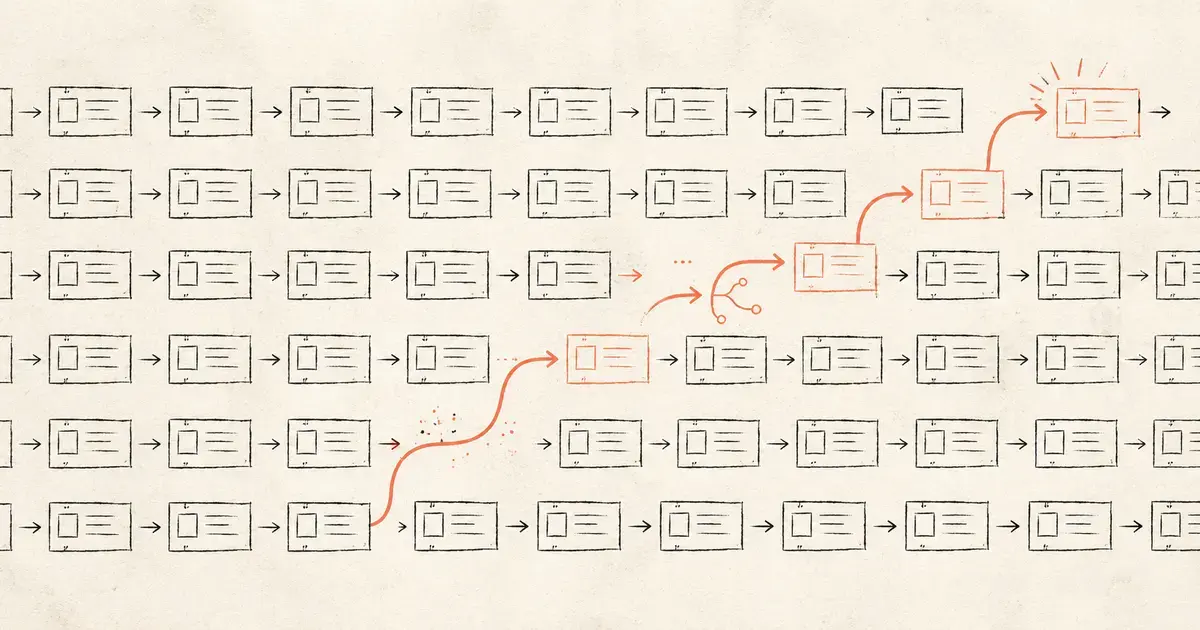
Software testing no longer has to begin with someone writing every test from scratch. Low-code and no-code test automation platforms let teams create and run tests through visual workflows, reusable components, recorded actions, and configurable logic, reducing how much custom scripting is required.
This can make automation faster to introduce and easier for more people to participate in. But it does not mean every test should be built this way. Enterprise applications vary too much in complexity, rate of change, integrations, risk, and performance requirements for one testing approach to cover everything well. Low-code and no-code automation are most useful when teams understand where they fit alongside code-based and increasingly AI-assisted testing.
What are low-code and no-code test automation?
Low-code and no-code test automation use visual tools, reusable components, and predefined actions to reduce the amount of code required to create and maintain automated tests.
No-code platforms generally aim to let users build tests through interfaces such as drag-and-drop workflows, recorded interactions, or configurable steps. They are designed to make common test scenarios accessible without requiring users to write scripts.
Low-code platforms provide a similar visual foundation but leave more room for custom logic, scripting, integrations, or extensions when a test becomes more complex. This makes them useful for teams that want faster test creation without giving up all of the flexibility available through code.
Although both approaches can support repeatable testing such as regression, functional, and user-interface testing, the exact capabilities depend on the platform and the system being tested.
Low-code vs. no-code vs. code-based test automation
The main difference is how much control the test creator has when a standard workflow is no longer enough.
| No-code | Low-code | Code-based automation | |
| How tests are created | Primarily visual configuration | Visual tools plus optional code | Written and maintained in code |
| Typical users | Testers, analysts, business users | QA engineers, testers, developers | Developers, SDETs, automation engineers |
| Customization | More limited | Moderate to high | Highest |
| Speed to get started | Usually fastest | Fast | More setup required |
| Best fit | Stable, repeatable workflows | Mixed-complexity testing | Complex or highly customized systems |
These are not rigid categories; some platforms described as no-code allow scripting, while low-code tools can support sophisticated automation. What matters more is how much abstraction the platform introduces and whether the team can move beyond that abstraction when a particular test requires it.
Where does low-code or no-code testing work well, and where does it fall short?
Low-code and no-code approaches are strongest when the test follows a repeatable path and the platform can represent that path reliably.
Regression testing is a common fit because the same business flows often need to be checked repeatedly as an application changes. Stable web and mobile journeys, routine functional tests, and standardized validation steps can also benefit from reusable components rather than individually written scripts.
The approach can also broaden participation in testing. QA specialists and people closer to the business process can create or review automated scenarios without depending on a developer for every change. For teams with limited automation-engineering capacity, that can make it easier to expand coverage. The same principle applies to repetitive regression work, where model-based automation can reduce the manual effort required to validate recurring tests across browsers and mobile devices. In one banking implementation, that approach reduced manual execution effort by 95%.
The limitations become clearer as the system gets more complex. Highly customized business logic, unusual integrations, rapidly changing interfaces, specialized API behavior, or demanding performance scenarios may need greater control than a visual platform provides. Abstraction can also make troubleshooting harder when teams cannot easily see or modify what happens underneath the workflow.
Tool dependence matters as well. Tests built deeply around proprietary components can become expensive to move later, and changes to the platform itself can affect how suites are maintained. Teams therefore need to evaluate maintainability and portability alongside the initial speed of building a test.
How should enterprises approach test automation now?
The useful question is no longer whether testing should be low-code, no-code, or code-based but rather which approach fits each part of the testing workload.
Stable regression flows may be good candidates for low-code or no-code automation. Tests involving complex logic, specialized integrations, or unusual system behavior may still be better implemented in code. Performance, security, compatibility, API, and exploratory testing introduce their own requirements and may use different tools altogether.
AI-assisted software engineering is adding another layer to that mix. Testing can increasingly begin earlier in the development lifecycle, with AI helping teams turn requirements into test scenarios, create runnable tests as features are built, identify coverage gaps, and carry quality checks into integration, performance, and release. Automating testing across more of the development lifecycle can also bring unit, integration, end-to-end, behavior-driven, load, and resilience testing into a more connected flow rather than treating each as a separate activity.
That changes how enterprises should think about automation. The objective is not to standardize every test on the same creation method. A stronger testing environment gives teams several ways to automate, with each applied where it provides enough speed, control, maintainability, and coverage for the system being tested.
This is also part of a broader shift toward AI-native engineering, where testing can happen alongside requirements, development, review, and release rather than remaining a separate activity near the end of the lifecycle.
Continue Exploring
Test automation works best when the approach matches the complexity of the software, the skills available to the team, and the way applications move through development and release. If you are assessing how to improve testing coverage, reduce repetitive manual work, or bring quality checks earlier into the development lifecycle, Fulcrum Digital can help determine where low-code, code-based, and AI-assisted approaches fit.
Related Questions
Is low-code test automation the same as no-code test automation?
No. No-code testing is generally designed to create automated tests primarily through visual interfaces and predefined components. Low-code testing uses similar tools but allows more scripting or custom logic when standard components are not sufficient.
Can low-code or no-code testing replace code-based automation?
Not in every environment. Low-code and no-code tools can handle many repeatable functional and regression scenarios, while complex logic, specialized integrations, performance requirements, or highly customized applications may still require code-based automation.
Is AI replacing low-code and no-code test automation?
AI is expanding the ways tests can be created and maintained rather than making low-code or no-code approaches obsolete. AI-assisted tools can help generate tests, identify coverage gaps, and connect testing more closely with the rest of the development lifecycle. Teams can use these capabilities alongside low-code, no-code, and code-based automation depending on the workload.